
Food diary
A food diary that starts with your next meal
Record what you ate, check the portion and keep the entry in one daily food diary. FoodWarz gives you several ways to start a meal entry, with editable calories, protein, fat and carbohydrate.
Try a portion, then see a diary example
FoodWarz lets you review a meal estimate before saving it. Use the portion buttons below to see how weight, calories and macros change together.
Interactive example: sample data, not saved to your diary.
1. Review the meal and adjust the portion
This sample shows a prepared photo result. The plus and minus buttons change its portion; no photo is uploaded or analysed here.
Example screen · sample data
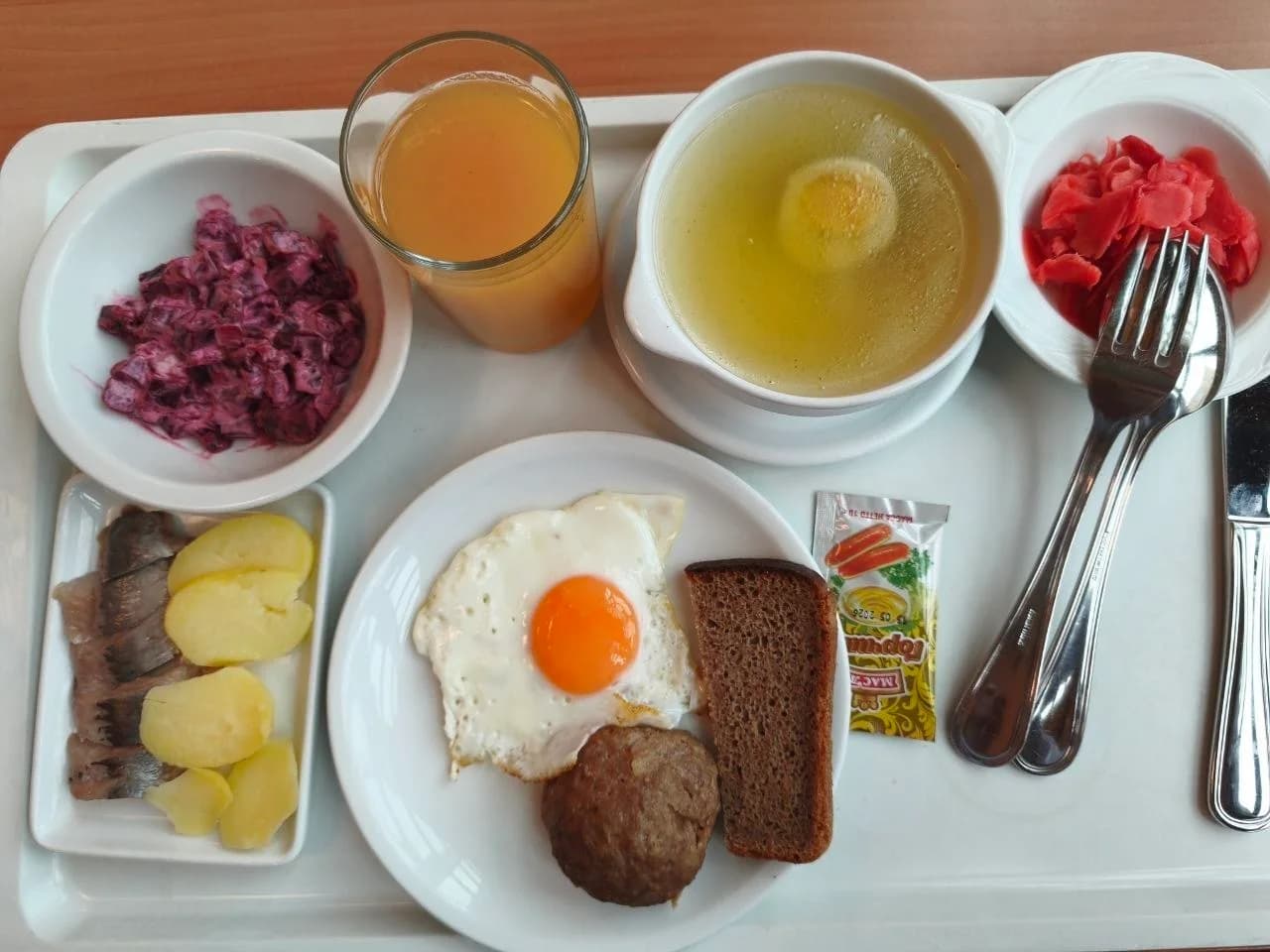
Cafeteria meal with soup, cutlet, and herring
980 g
2. See how a saved meal appears in the diary
This separate diary sample shows a 508 kcal meal and a daily total of 1,420 kcal against an example 2,000 kcal goal. It does not change when you adjust the photo example.
Example screen · sample data
Available on Android through Google Play and as a Telegram Mini App. Check current free features and optional Premium limits in the app.
Last updated: October 7, 2026
Make your first diary entry
Start with a meal you have actually eaten. Choose a photo, a text description, a voice note, a barcode or a catalogue item. Check the suggested foods and amounts before saving.
- Include details you know: the product, preparation, amount, oil, sauces and drinks.
- Correct a missing ingredient or a portion that does not match your meal.
- Save only after reviewing. A generated suggestion or a future meal plan is not an eaten meal.
Choose the quickest useful way to log
A photo is a starting point when the meal is in front of you. Text or voice can include details the camera cannot see, such as oil or the weight on the packet. A barcode can help find a packaged product; compare the result with the label.
For a weighed portion with known label values, use the portion calculator to check the arithmetic. The website calculation is separate from your app diary and is not transferred automatically.
Review the day without treating an estimate as a measurement
The diary brings saved meals together so you can review daily calories and macros. Water, weight and habits sit alongside your food record. The usefulness of the totals depends on the foods and portions you enter.
When something looks unexpected, return to the entry and check the unit, amount, brand and preparation. Dry and cooked food values are not interchangeable, and a photo cannot reliably reveal hidden ingredients.
Keep the routine manageable
You do not need to use the same input method every time. Use the label for packaged food, a saved or catalogue food when it fits, and photo or voice when they make logging easier. FoodWarz also includes a pet, streaks, habits and teams.
These features add play to the routine; they are not a promise of weight loss or a substitute for individual medical advice.
One diary, several ways to add food
Review before saving
Check the food, portion and macros before adding a meal. An AI estimate is a draft until you confirm it.
Choose your input
Use a photo, text, voice or barcode in the app. You can also choose food from the catalogue or enter it yourself.
Keep a daily record
See saved meals alongside water, weight and habits. Pets, streaks and teams add a playful reason to return.
Food diary questions
Is a food diary the same as a meal plan?
No. A diary records food you ate. A meal plan describes intended meals. Review and save an eaten meal to include it in your diary.
Can I add food without taking a photo?
Yes. Use text, voice, a barcode, the food catalogue or manual entry, depending on the food and information you have.
Does the app save every AI suggestion automatically?
Review the suggested foods, portions and nutrition, then confirm the entry. An AI response on its own is not a saved meal.
Where can I use FoodWarz?
Use the Android app from Google Play or open the Telegram Mini App. The download buttons show the currently available destinations.
Foods you might add to your diary
Nutrition values are estimates for calorie tracking and may vary by recipe, brand, cooking method and portion size. Not medical advice. Nutrition data methodology